
This is an admin only feature.
No deployment setup? Visit: How do I create a Deployoment for a Microsimulation?
How can I enrol a deployment in a Microsimulation?
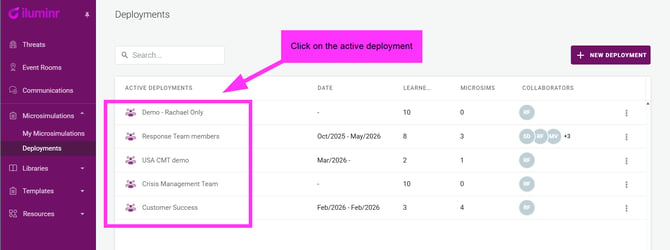
- In the navigational men, expand Microsimulations, and select Deployments.
- Click on the name of the Active Deployment.
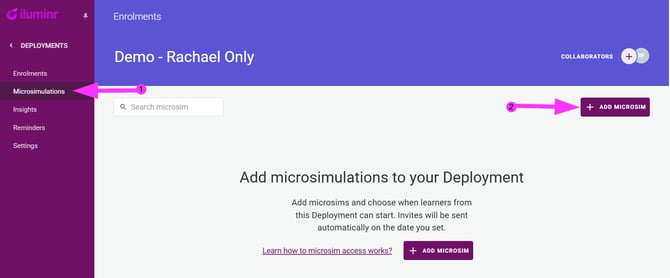
- In the navigation menu, select Microsimulations, then select + Add Microsim
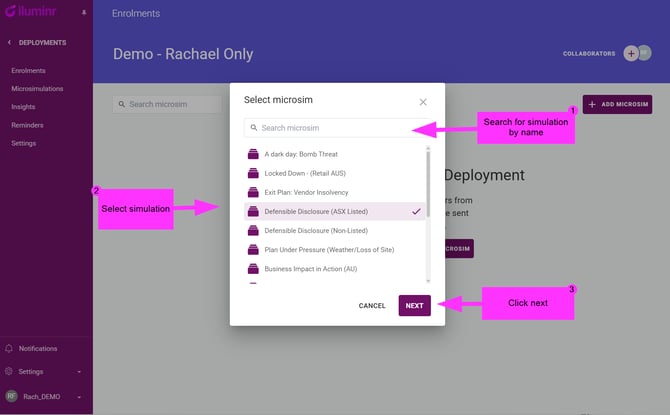
- Only single-player Microsimulations with the Ready status will appear. Select the simulation you wish to enrol the deployment in and click Next.
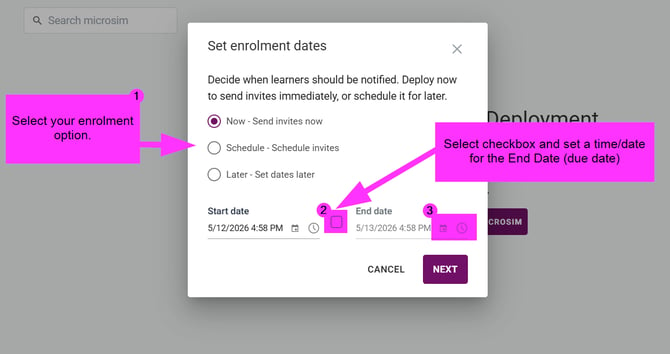
- Select when you would like to send invites, and click the check mark and set a due time/date in your local timezone.
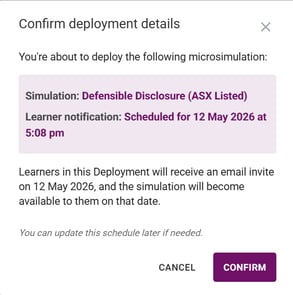
- Review the details of the deployment, and once ready select Confirm.
Related Articles:
Need more assistance? Submit a support ticket