
This is an admin only feature.
What is a Deployment?
A deployment is a grouping of individuals for the purpose of enrolling in Microsimulations. This can be done by an iluminr Admin User adding Learners to a deployment (the guide you are reading) or by inviting Learners to self-enrol in a deployemtment (see: How do I invite Learners to self-enrol in a deployment?).
Deployments are used for both Single Player and Multiplayer Microsimulations.
How do I create a new Deployment?
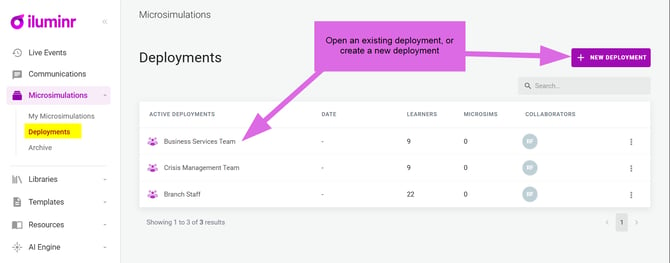
- In the navigational men, expand Microsimulations, and select Deployments.
- Click the + New Deployment button.
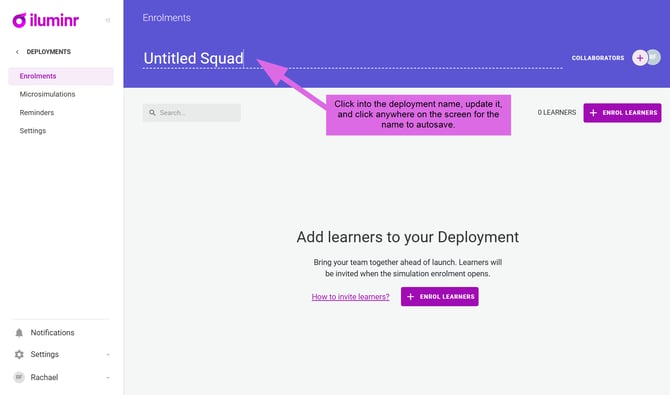
- Click into the deployment name, update it, and click anywhere on the screen for the name to autosave.
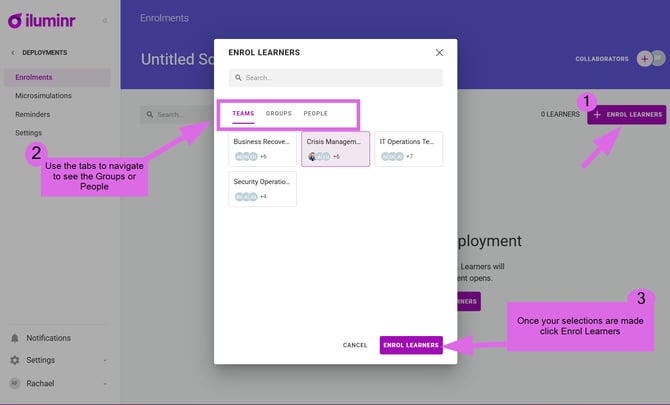
- Click the + Enrol Learners button. You can add teams, groups, individual people or any combination of these to a deployment.
- Once satisfied with your selections, click the Enrol Learners to add them to the deployment.
- For other iluminr Admin Users to see the deployment, you will need to add them as a collaberator via the + icon.
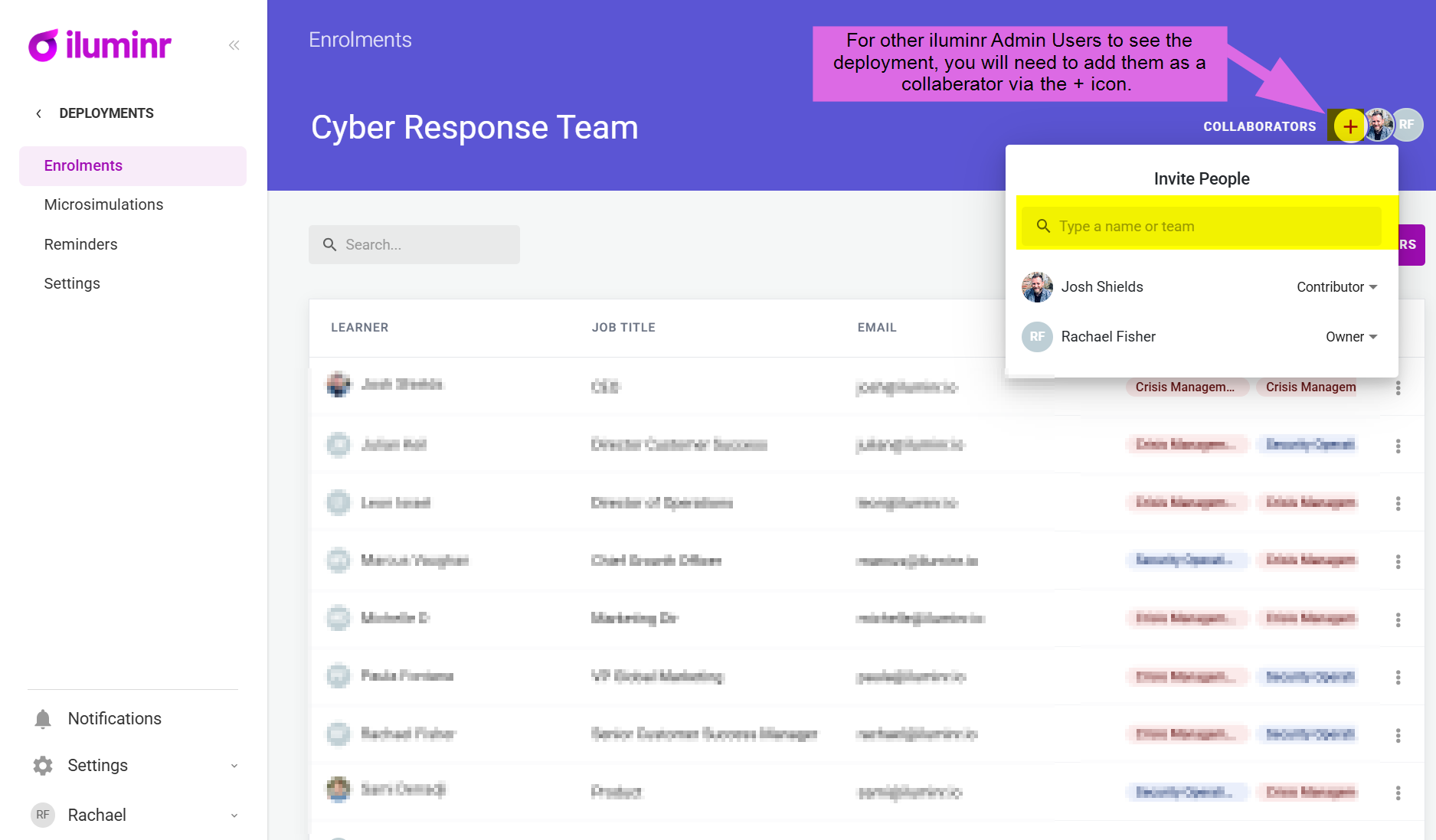
- You can change the role of a collaberator using the drop-down selector.
Related Articles:
Need more assistance? Submit a support ticket