
- Log in with your credentials.
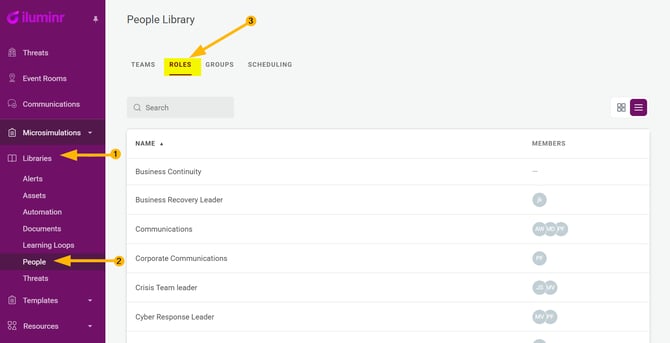
- In the menu, click to expand Libraries, and click People.
- In the People Library, select the Roles tab.
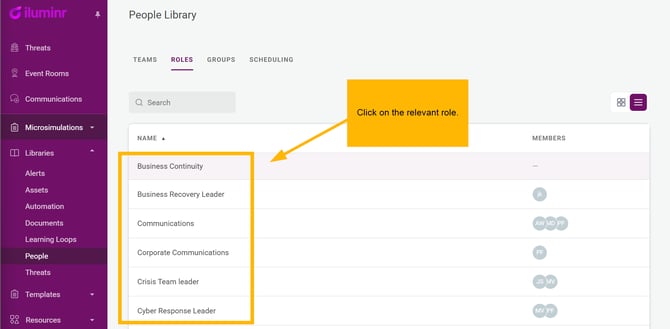
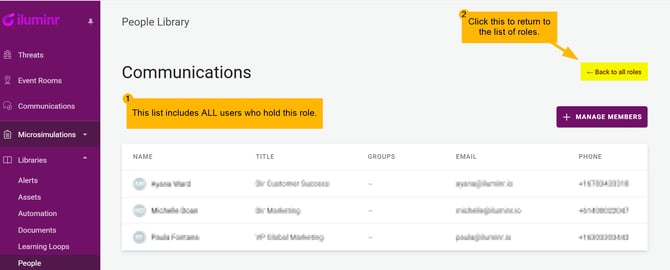
- Click on the relevant Role. You will now see all of the Users, who have this Role Set.
Related Articles:
Need more assistance? Submit a support ticket