
This is an admin only feature.
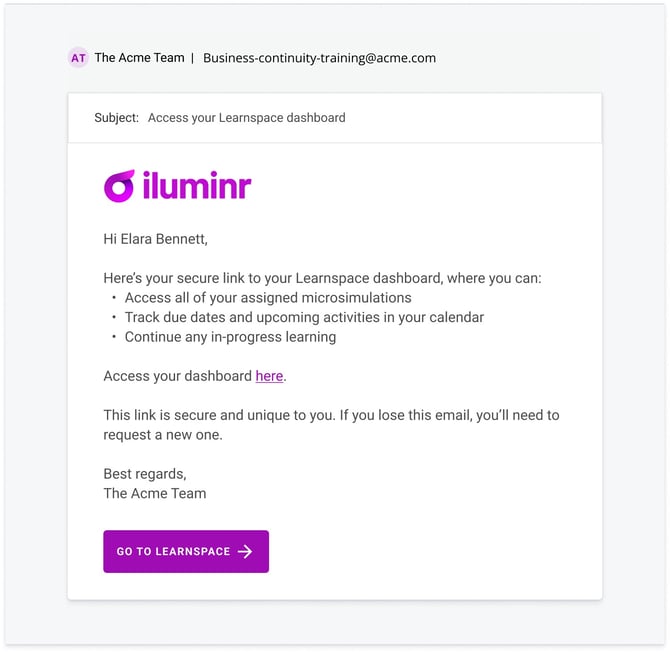
Reissuing an email to the Learner to access the Learspace, will send them a new email titled "Access your Learnspace dashboard".
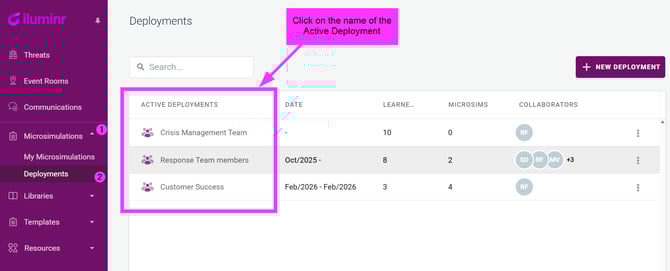
- In the navigation menu, expand Microsimulations and select Deployments.
- Click on relevant Active Deployment.
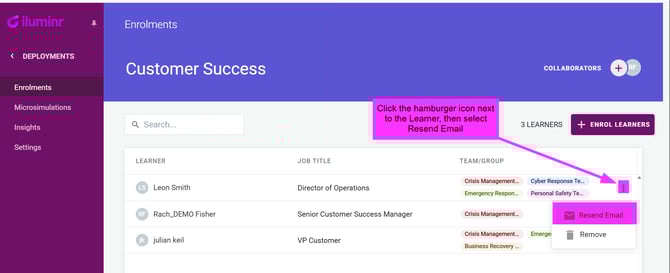
- Locate the Learner in the list, and click the three vertical dots (hamburger icon) next to their name.
- Select Resend email to trigger a new Learnspace access email to the Learner.
The below is an example of the email the Learner will receive.
Learners must contact their Admin User directly to request the Learnspace access email be resent to them.
Related Articles:
Need more assistance? Submit a support ticket