
This is an admin only feature.
You can schedule reminder emails to prompt Learners who have not yet comleted their simulation, to complete their simulation. This reminder will only be sent to those who have the status of not started, or in progress - those whol have completed the simulation will not receive the reminder. You can choose to:
Currently reminders are available for Single Player Microsimulations only, with Multiplayer reminders coming soon.
Send a Reminder Immediately
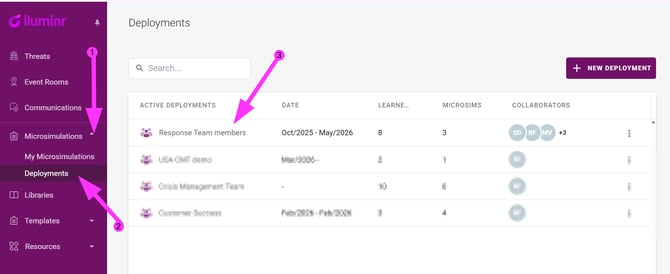
- In the navigation menu, expand Microsimulations and select Deployments.
- Click on relevant Active Deployment.
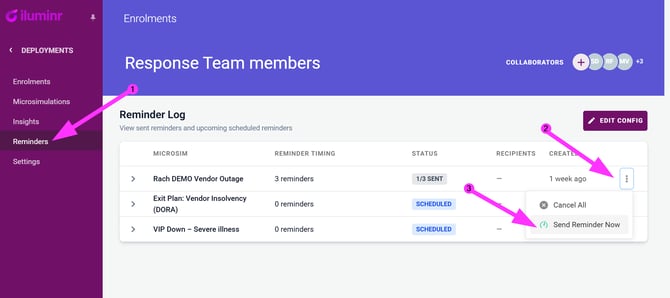
- In the navigation menu, select Reminders
- Locate the Microsimulation in the list, and click the three vertical dots (hamburger icon) .
- Select Send Reminder Now to issue a reminder email to the Learners who have not yet completed the simulation.
Schedule Reminders
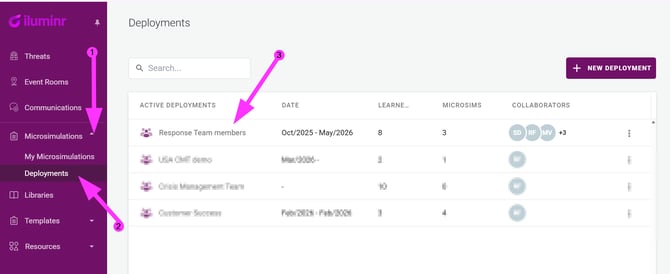
- In the navigation menu, expand Microsimulations and select Deployments.
- Click on relevant Active Deployment.
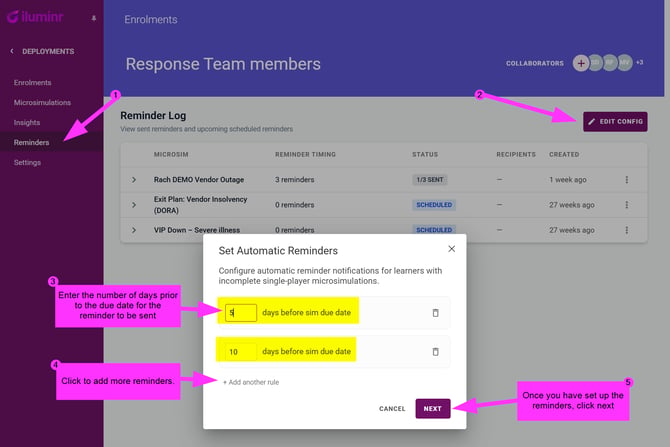
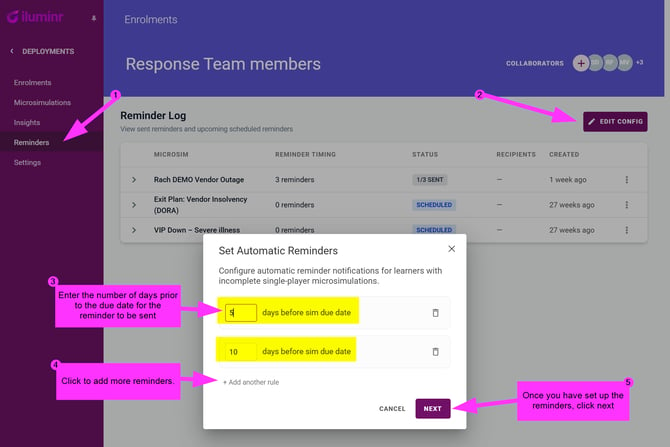
- In the navigation menu, select Reminders
- Click Edit Config
- Enter the number of days prior to the due date that the reminder will be sent.
- You can select the + Add another rule to schedule more reminders.
- Once satisfied with the reminders schedule, click Next
- Review the number of automatic reminders to be sent, and click Schedule reminders. No further action is required,the reminder emails will be issued to any Learners who have not yet completed the simulation per the scheduled rules.
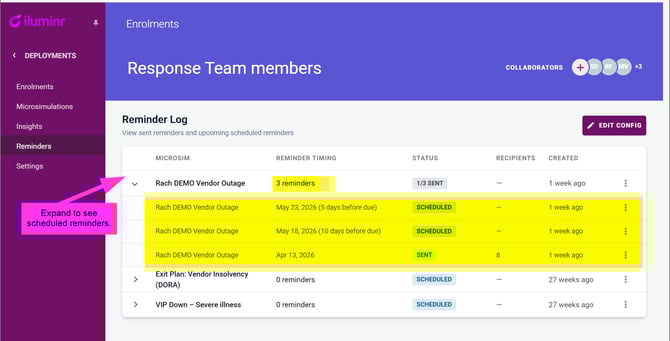
- You can see scheduled reminders by expanding the list.
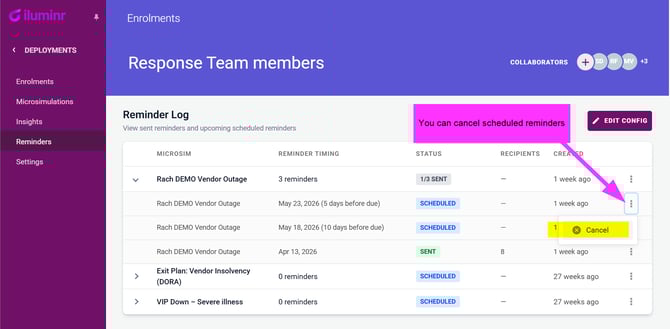
- You can also cancel scheduled reminders.
Reminder emails are only send to Learners who have not yet completed the Microsimulaton.
Related Articles:
Need more assistance? Submit a support ticket